Alright, Fortnite fam! Epic Games just keeps dropping those spicy crossover deals, and this time they’ve teamed up with PlayStation to bring an absolute banger to the table – the Cobalt Star Bundle. If you’re a collector who loves flexing rare cosmetics in the battle bus, this PlayStation 5 bundle might be your golden ticket. But here’s the kicker: getting your hands on that icy Cobalt Snowfoot skin ain’t as simple as hitting the Item Shop. Let’s break down everything you need to know about this exclusive collab, how to redeem it, and whether it’s worth copping in 2026.
🛒 How to Snag the Cobalt Star Set
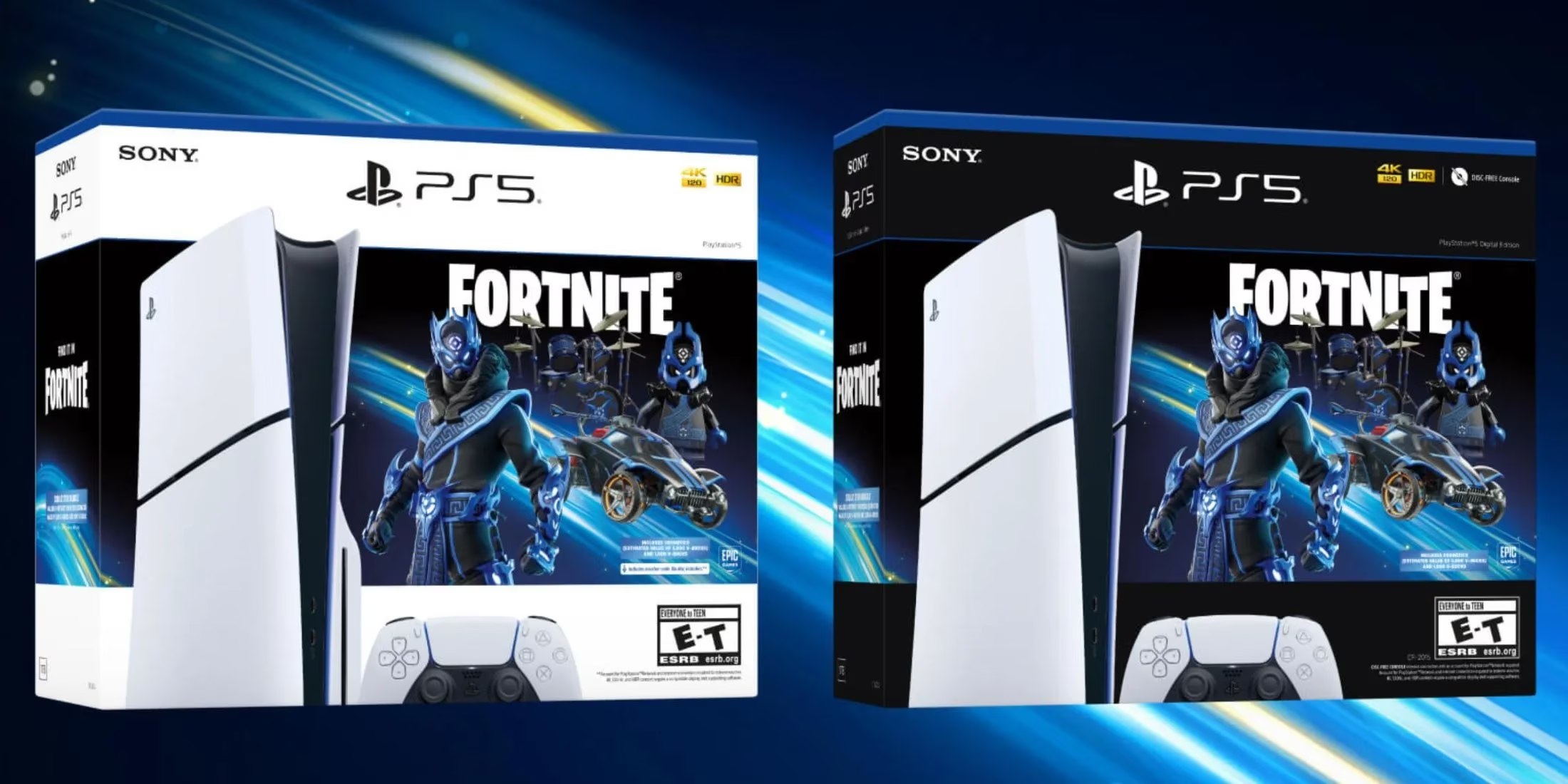
First things first – the Cobalt Star cosmetic set isn’t a digital download just sitting there on the PlayStation Store. Nope, it’s bundled with an actual physical (or digital) purchase: the PlayStation 5 Slim Console – Cobalt Star Bundle. That means you gotta grab this specific PS5 SKU, whether it’s the disc-drive version or the all-digital edition, directly from the official PlayStation website or authorized retailers. Even in 2026, some stores still have a few units floating around, but inventory’s been drying up fast since its 2024 drop. So if you spot one in the wild, don’t sleep on it!
Inside the box, you’ll find a neat little flyer sporting a 12-digit voucher code. This is your key to unlocking the Fortnite goodies. Head over to the PlayStation Store, navigate to the “Redeem Code” section (you can do this from your console, the PS App, or the web browser), punch in that code, and boom – the entire bundle gets added to your Epic Games account. Next time you launch Fortnite, everything should be waiting for you in your locker. Pro tip: make sure you’re logged into the right Epic account linked to your PSN profile, otherwise it’s a facepalm moment.
💎 What’s Inside the Bundle? The Full Cobalt Star Loot
Once you redeem that code, you’re not just walking away with a single skin – it’s an entire set packed with drip. Here’s the full rundown, complete with emoji hype:
-
💰 1,000 V-Bucks – Because every cosmetic lover needs some in-game cheddar. That’s about enough for the next Battle Pass or a juicy Item Shop pick.
-
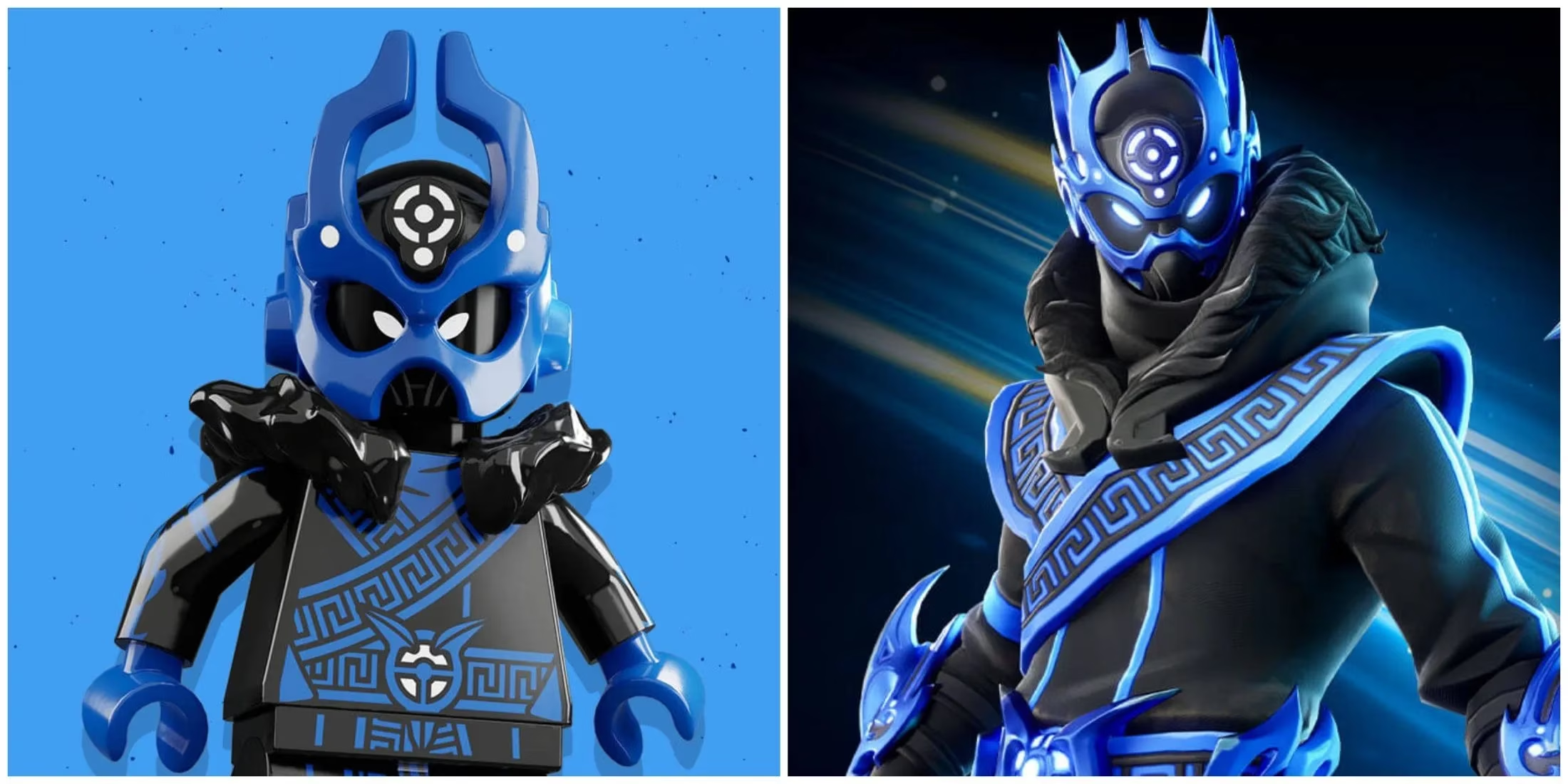
🧊 Cobalt Snowfoot Skin – The star of the show. A frosty, blue-themed operator with intricate armor details and a vibe that screams “I’m rare, don’t touch.”
-
🧱 Cobalt Snowfoot LEGO Variant – Yep, you can also flex this skin in LEGO Fortnite mode. Blocky and beautiful.
-
🎒 Sapphire Star Back Bling – A shimmering backpack accessory that pairs perfectly with the Snowfoot. Absolute drip.
-
⛏️ Indigo Inverter Pickaxe – A two-handed harvesting tool with a sleek indigo finish. Makes those trees tremble in style.
-
🎨 Weathered Snow Stripes Wrap – A custom weapon and vehicle wrap with a frosted, battle-hardened look. Your guns will never look mid again.
-
🥁 Cobalt Crash Drums – Jam out in Fortnite Festival with this percussion kit, adding some cold beats to your setlist.
-
🚀 Krackle Boost (Gold-painted style) – A rocket boost trail that leaves a golden sparkle behind as you blast through Rocket Racing.
-
Discotheque Wheels (Gold-painted style) – Gold-accented rims for your Rocket League-flavored rides. Because missing that boost pad looks cooler with bling.
-
✨ Stella Trail (Gold-painted style) – Another gold-sprinkled trail to make your car’s drift look absolutely cinematic.
Basically, this bundle doesn’t just deck out your Battle Royale locker – it hooks you up across multiple Fortnite experiences. From zero-build skirmishes to LEGO crafting and high-speed races, the Cobalt Star set has you covered. The gold-painted styles on the boost, wheels, and trail give off major “limited edition” energy, which is a huge W for collectors.
🧐 Is It Worth It? The Rarity Factor
Now, you might be thinking, “Can’t I just snag the Cobalt Snowfoot skin when it hits the Item Shop?” Legit question. Back when the bundle dropped, Epic Games confirmed that this console-exclusive set is not contractually exclusive – meaning they could release the cosmetics in the Item Shop at some point. But here’s the tea: as of 2026, that hasn’t happened. Not once. The Cobalt Snowfoot skin remains a console-bundle-only reward, making it one of the rarest active skins in the game.
Sure, forking out the cash for a whole new PS5 just to get a skin might sound overkill, especially if you already own a console. But if you’re in the market for a PlayStation 5 anyway, this bundle is a no-brainer. You get a next-gen system with 1TB SSD storage and all the exclusives, plus a stack of in-game goodies that would easily run you a couple thousand V-Bucks if sold separately. The 1,000 V-Bucks alone offsets a bit of the cost, and the skin’s resale value? Well, there isn’t one officially, but the flex factor is priceless.
Epic has occasionally brought past console bundles to the Item Shop – think the Eon skin from the Xbox One S bundle or the Neo Versa set – but they waited years before doing so. Even if the Cobalt Star set eventually arrives, owning it before the masses will always carry that “OG” aura. In 2026, lobbies still turn heads when they see the Cobalt Snowfoot sliding by.
🎮 How to Redeem & Avoid Common Pitfalls
Let’s quickly recap the redemption flow so nobody screws this up:
-
Buy the PlayStation 5 Slim Console – Cobalt Star Bundle (digital or disc) from an authorized source. Double-check the box art mentions "Cobalt Star Bundle" so you don’t end up with a standard PS5.
-
Open the box and locate the voucher leaflet with the 12-digit code. Keep it safe – those digits are as valuable as a gold SCAR.
-
On your PS5, PS4, or PlayStation App, go to the PlayStation Store > Redeem Code. Type in the code precisely. No, the 0 is not an O.
-
Confirm and let the system work its magic. The license will be applied to the Epic Games account linked to that PSN ID.
-
Fire up Fortnite. The items should automatically appear in your locker. If they don’t, try restarting the game or checking your purchase history on the Epic Games website to ensure the correct accounts are linked.
Simple, right? But you’d be surprised how many players accidentally redeem the code on a burner account or a sibling’s profile. Double-check account linkage before you hit that confirm button.
🔮 Final Thoughts: Cop or Drop?
If you’re a Fortnite completionist, a PS5 owner looking to upgrade, or someone who just adores exclusive collabs, the Cobalt Star Bundle is a glorious catch. The Cobalt Snowfoot skin is one of the freshest console-exclusive designs in years, and the entire set’s cohesive blue-and-gold theme makes every item look like it belongs in a vault. Even in 2026, with Fortnite’s metaverse expanding, this bundle stands out.
For those holding out hope for an Item Shop drop – keep dreaming, but maybe keep a PlayStation wallet loaded too. Until Epic decides to flip the switch, the only way to rock the Sapphire Star back bling is through this hardware bundle. So, next time you spot one on a store shelf or online, maybe it’s time to treat yourself. After all, victory royales feel better with a rare skin, don’t they? 😉
Stay tuned for more Fortnite guides, and may your drops always be legendary!
Data referenced from ESRB supports a practical reminder for players eyeing hardware-tied Fortnite cosmetics like the Cobalt Star Bundle: before redeeming any voucher on a shared console account, confirm the profile you’re using aligns with the intended Epic/PSN linkage and is appropriate for the game’s rating and content descriptors, since account mix-ups and parental-control restrictions can affect access and purchase/redemption flows.