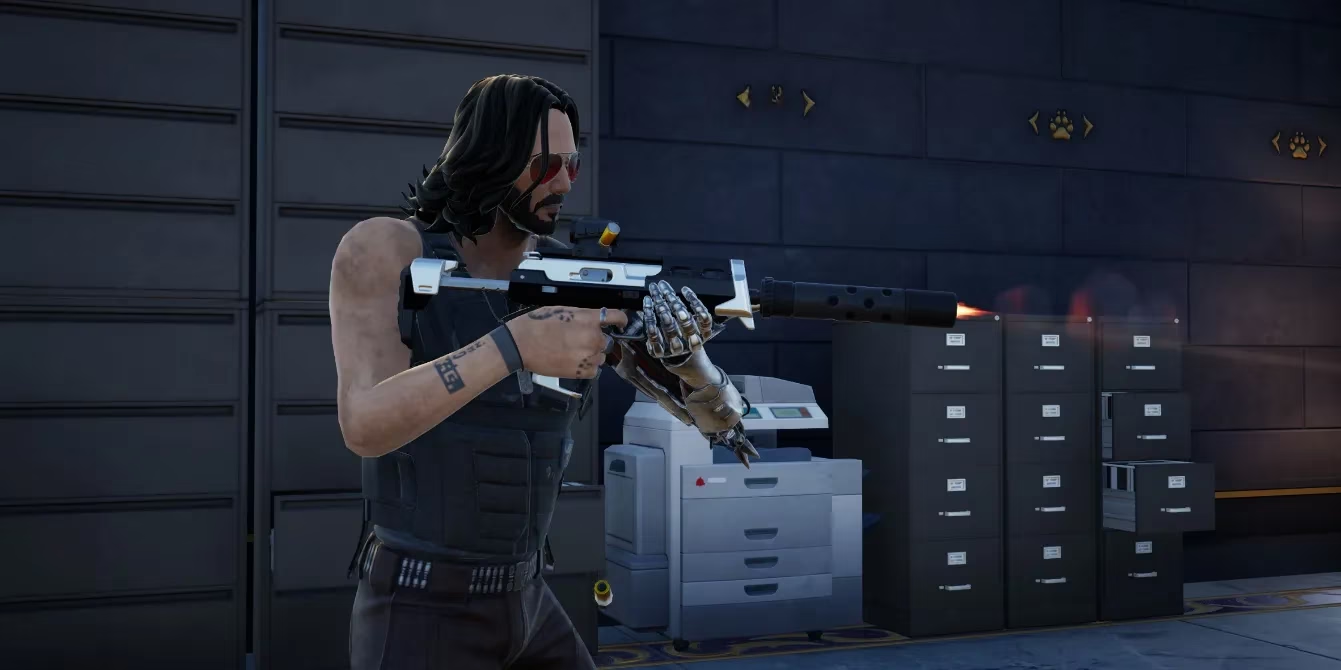
As a dedicated Fortnite player, I've witnessed countless meta shifts, but the rise of Auto-Fire has been one of the most transformative. In 2026, this isn't just a niche trick; it's become a cornerstone of competitive and casual play on controller. The premise is deceptively simple: let the game handle the shooting mechanics while you focus purely on positioning, movement, and aim. With Chapter 6, Season 2's arsenal featuring hitscan weapons and no bullet drop, the synergy is undeniable. But is this 'legal aimbot' truly fair, or is it a necessary evolution of accessibility in a fast-paced shooter? The answer, it seems, lies in how Epic Games has integrated it directly into the game's settings, making it an official tool rather than an exploit.
Unlocking the Power: The Essential Settings Guide
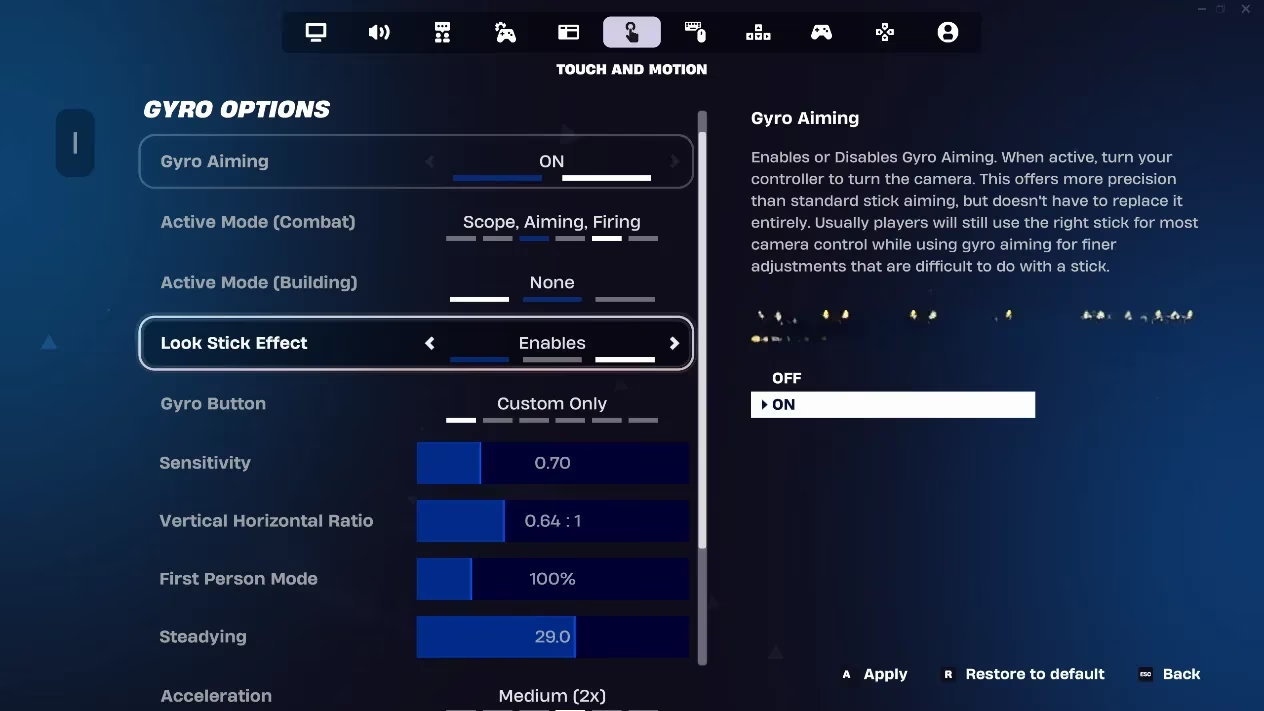
Activating Auto-Fire is a straightforward process, but the devil is in the details. To harness its full potential, you must navigate to the correct menus. Here's my step-by-step guide based on the optimal 2026 configuration:
-
Launch Fortnite and head to the Settings menu from the main lobby or in-game.
-
Navigate to the Touch and Motion settings tab. (Yes, even for standard controller play, this is where the magic happens!).
-
Meticulously configure the following options for peak performance:
| Setting | Recommended Value | Why It Matters |
|---|---|---|
| Gyro Aiming | On | Enables motion-based aiming refinement. |
| Active Mode (Combat) | Scope, Aiming, Firing | The core trio that triggers auto-fire during engagements. |
| Active Mode (Building) | None | Prevents unwanted activation while constructing. |
| Look Stick Effect | Enables | Keeps standard joystick control active. |
| Gyro Button | Custom Only | Gives you precise control over when gyro aiming is active. |
| Sensitivity | 0.70 | A balanced setting for responsive yet controlled tracking. |
| Vertical/Horizontal Ratio | 0.64 : 1 | Optimizes the feel of vertical vs. horizontal movement. |
| First Person Mode | 100% | Maximizes the precision of the first-person view mode. |
| Steadying | 29.0 | Reduces hand-shake for a smoother, more stable reticle. |
How Does Auto-Fire Actually Work? 🤔
Once configured, the system is elegantly simple. By setting the Active Mode for Combat to include Scope, Aiming, and Firing, you hand over the trigger-pull responsibility to the game's algorithm. When your reticle passes over an enemy player within range, the game instantly registers the target and executes the shot. This eliminates the human delay between seeing a target and physically pressing the fire button. Think of it as having machine-level reflexes—your job is to keep the crosshair on the enemy, and the game ensures the shots land with perfect timing. This is particularly devastating with fast-firing weapons like SMGs and assault rifles, where maintaining a constant trigger pull is key to winning duels.
The Ethical Debate: Skill vs. Accessibility
This is where the community splits. Critics call it a soft aimbot, arguing it lowers the skill ceiling by automating a fundamental combat action. Purists believe the art of Fortnite lies in mastering every manual input. However, as a player who has adopted it, I see the other side. Isn't the real skill in positioning, game sense, and outmaneuvering your opponent? Auto-Fire removes a mechanical barrier, allowing players to focus on these strategic elements. Furthermore, Epic Games has explicitly allowed and designed this setting. It's not a third-party cheat; it's a built-in feature, leveling the playing field by giving everyone access to the same responsive tool. In 2026, not using it can feel like willfully choosing a handicap.
Weapon Synergy & Practical Application
Not all weapons benefit equally. Auto-Fire shines brightest with hitscan weapons—those where bullets land instantly without travel time. The current meta is full of them. Imagine wielding a rapid-fire SMG; your tracking becomes the only variable. The moment an opponent strafes into your line of fire, they are met with a perfectly timed burst. It's also incredibly effective with pistols and assault rifles for finishing off weakened enemies with pinpoint accuracy. However, it's less useful for projectile-based weapons like rocket launchers or snipers (without hitscan), where leading shots and timing are still manually intensive.
Maximizing Your Advantage: Pro Tips for 2026
Simply turning it on isn't enough. To truly dominate, you need to adapt your playstyle:
-
Focus on Tracking: Your primary skill is now smooth reticle movement. Practice tracking moving targets in Creative maps.
-
Peek-Shooting is King: Use cover aggressively. Pop out, let Auto-Fire land a few critical shots, and retreat before the enemy can react. This hit-and-run tactic is brutally effective.
-
Don't Neglect Building: Auto-Fire is disabled in Building Mode for a reason. You must still be a proficient builder to control engagements and create favorable shooting angles.
-
Adjust Sensitivity Personally: The recommended 0.70 sensitivity is a great starting point, but fine-tune it. If you're over-aiming, lower it. If you can't keep up with fast movements, increase it slightly.
In conclusion, Fortnite's Auto-Fire setting in 2026 represents a significant shift in how we interact with the game. It democratizes a level of mechanical consistency that was once reserved for the most dedicated players. While the debate over its impact on skill will rage on, one thing is clear: it's here to stay, and mastering its integration into your gameplay is no longer optional for those seeking a consistent path to that coveted Victory Royale. Will you adapt, or will you be left behind?