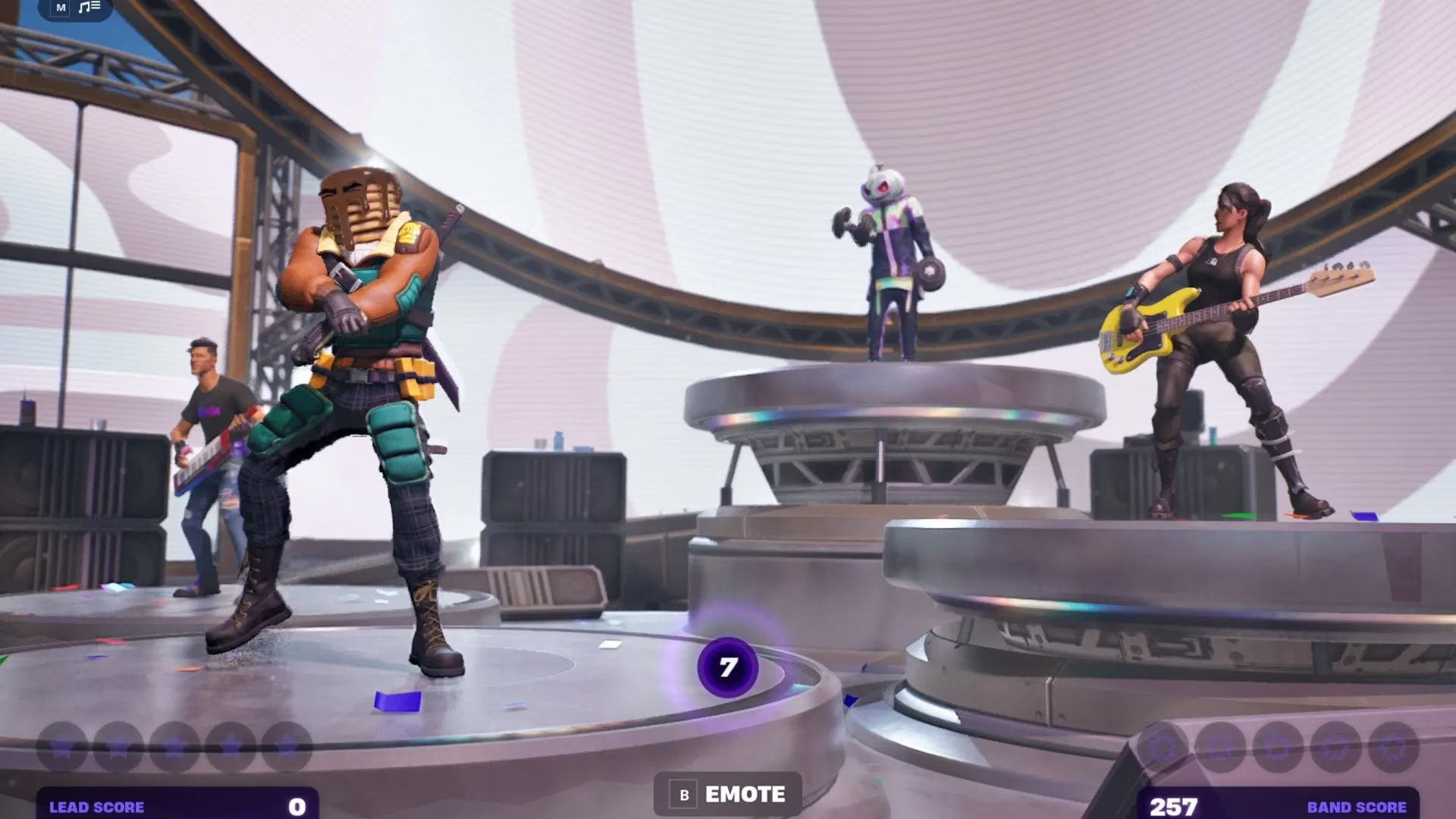
I have a confession: I am not a natural-born button masher. In Fortnite Festival, my fingers have the coordination of a caffeinated squirrel and the confidence of a karaoke singer who forgot the chorus. Yet I keep coming back, because hitting notes in time to a ridiculous song is still one of the best feelings in the game. In 2026, Fortnite Festival is still a lovely little rhythm-game playground, and the controls are still fully rebindable. That matters, because the default setup is not a universal hug. It is more like a handshake from someone who has never met a thumb before.

The Default Keybinds: Fine on Keyboard, Feral on Controller
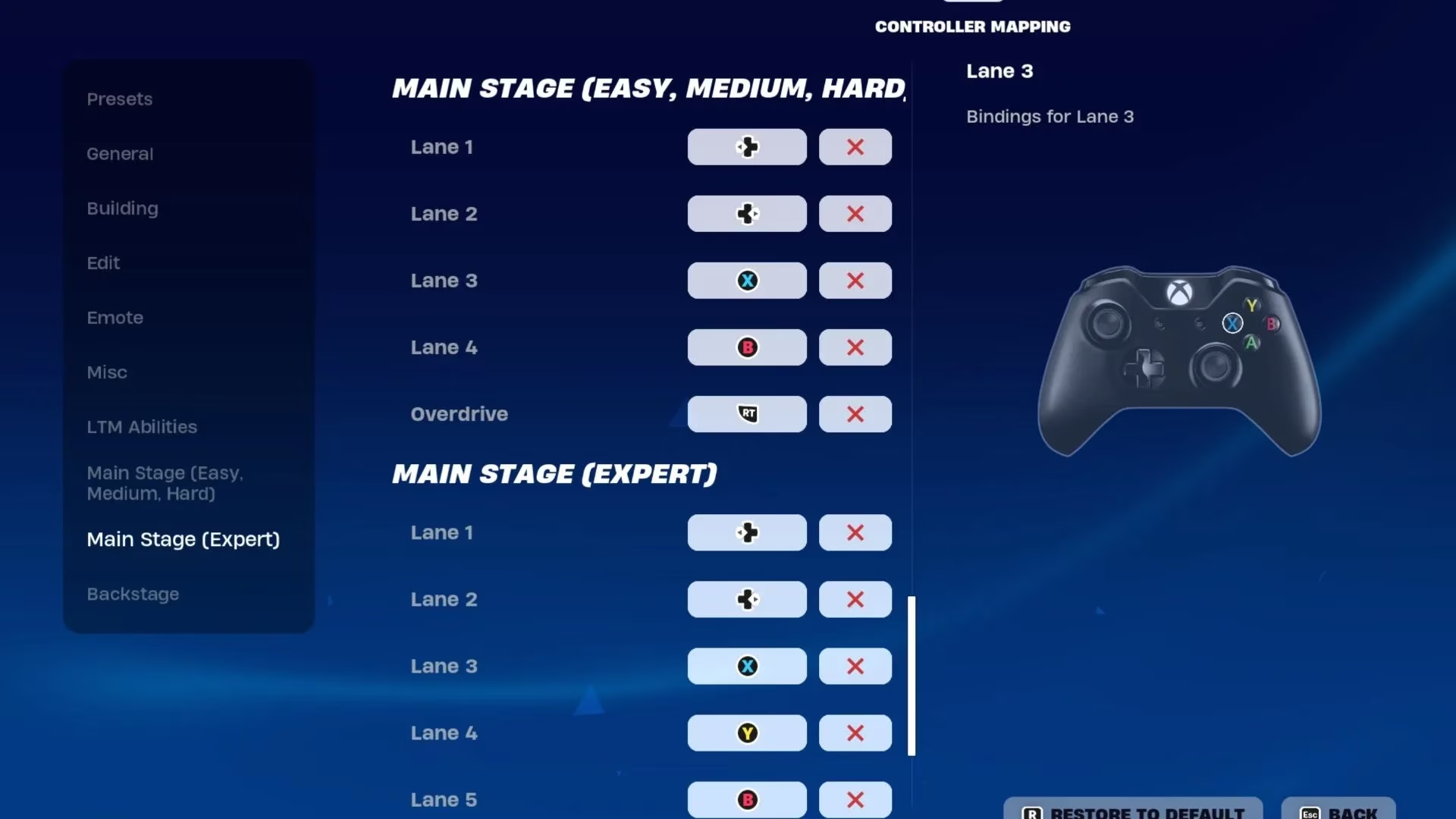
On keyboard, default is D F J K for four notes and D F J K L for Expert, with Space for Overdrive. That is actually sensible. One finger per note, thumb on Space, and no accidental Overdrive confetti. The only complaint is that my hands feel like they are sharing a tiny elevator. On controller, default is less friendly: your thumbs are doing double duty, and fast sequences or double notes can turn into a thumb wrestling match. The shoulder-button Overdrive is good, though. At least my panic button is far away from my note buttons.
| Input | Note 1 | Note 2 | Note 3 | Note 4 | Note 5 | Overdrive |
|---|---|---|---|---|---|---|
| Keyboard, 4-note | D | F | J | K | — | Space |
| Keyboard, Expert | D | F | J | K | L | Space |
| Xbox, 4-note | D-Pad Left | D-Pad Right | X | B | — | RT |
| Xbox, Expert | D-Pad Left | D-Pad Right | X | Y | B | RT |
Best Keyboard Keybinds: Five Ways to Stop Fumbling
Keyboard is flexible, which is both a blessing and a menu-screen trap. I tested the layouts in the guide, and here is the short version. Option 1 spreads notes across S D F J K, which gives your left hand three notes and your right hand two. Option 2 uses 3 4 8 9, and it is lovely if you have larger hands because your fingers do not curl up like shrimp. Option 3 is the three-left-notes variant using 2 3 4 8 9. Option 4 uses D F G H J and is my pick for smaller hands because it keeps the middle keys close and reduces the chance of hitting a note in the gap. Option 5 is S D F G H, a home-row-ish setup that feels like Option 3 but with less number-row drama. Where the reference left Overdrive blank, I use Space, because my thumb needs a job.
| Layout | Note 1 | Note 2 | Note 3 | Note 4 | Note 5 | Overdrive |
|---|---|---|---|---|---|---|
| Option 1 | S | D | F | J | K | Space, A, or ; |
| Option 2 | 3 | 4 | 8 | 9 | — | Space, 1, or - |
| Option 3 | 2 | 3 | 4 | 8 | 9 | Space, my pick |
| Option 4 | D | F | G | H | J | Space, A, or K |
| Option 5 | S | D | F | G | H | Space, my pick |

Best Controller Keybinds: Fewer Buttons, More Chaos
Controller is trickier because you have fewer buttons and more feelings. The good news is that you can create a hybrid setup. For Easy, Medium, and Hard, Option 1 maps notes to LT/L2/ZL, LB/L1/L, RB/R1/R, and RT/R2/ZR. It is the closest thing to a keyboard setup on a controller, and it feels great if you like shoulder buttons doing the heavy lifting. Option 2 keeps some default energy but lets you hit D-Pad and face buttons together, with Overdrive on a shoulder button. Option 3 is the hybrid I like: shoulder buttons for some notes, face and D-Pad buttons for others, and Overdrive on a trigger. For Expert, Option 1 adds a face button as the fifth note and moves Overdrive to a D-Pad button. Option 2 is the tabletop experiment: left hand hovers over shoulder buttons, right hand uses pointer, middle, and ring fingers on face buttons, thumb handles Overdrive. Option 3 keeps your middle finger on the grip and uses pointer fingers, right middle finger, and right thumb for notes.
| Difficulty | Layout | Note 1 | Note 2 | Note 3 | Note 4 | Note 5 | Overdrive |
|---|---|---|---|---|---|---|---|
| 4-note | Option 1 | LT/L2/ZL | LB/L1/L | RB/R1/R | RT/R2/ZR | — | D-Pad or face button |
| 4-note | Option 2 | Left | Up | Y/Triangle/X | B/Circle/A | — | Shoulder button |
| 4-note | Option 3 | LB/L1/L | D-Pad button | Face button | RB/R1/R | — | LT/L2/ZL or RT/R2/ZR |
| Expert | Option 1 | LT/L2/ZL | LB/L1/L | RB/R1/R | RT/R2/ZR | Face button | D-Pad button |
| Expert | Option 2 | LT/L2/ZL | LB/L1/L | X/Square/Y | Y/Triangle/X | B/Circle/A | D-Pad button |
| Expert | Option 3 | LB/L1/L | D-Pad button | Face button | RB/R1/R | RT/R2/ZR | LT/L2/ZL |
My Very Scientific Recommendations
After many deeply dignified attempts, I would choose keyboard Option 4 if my hands are small, Option 2 if my hands are large, and Option 5 if I want a home-row safety blanket. On controller, I would start with four-note Option 3 and Expert Option 1. They keep Overdrive away from the notes I am actually trying to hit, which is important because accidental Overdrive is the rhythm-game equivalent of sneezing during a secret. If you are a tabletop gremlin who loves hovering hands, Expert Option 2 is weird but genuinely fun. If you want a grip-friendly setup, Expert Option 3 is the calm choice.
Tiny Rituals That Help Me Hit Five Stars
🎧 Calibrate audio before you blame your fingers. Rhythm games are cruel enough without latency.
🐢 Drop to a lower difficulty for one song. Learn the pattern, then return to your usual chaos.
🖐️ Change one binding at a time. If you change everything at once, you will not know which terrible decision is yours.
⭐ Put Overdrive somewhere you can reach without leaving note position. Space on keyboard, shoulder or trigger on controller.
🧘 Accept that five stars is a journey. My first attempts looked like I was trying to communicate with aliens through a controller.
Final Verdict
Fortnite Festival in 2026 is still a good time, and the best controls are the ones that make your hands forget they are doing work. The default keyboard layout is solid, the default controller layout is a thumb-based trust exercise, and the alternative layouts are worth testing. I am not saying my new keybinds turned me into a rhythm-game god. I am saying I now miss notes with style, confidence, and significantly less thumb cramp. That is progress. 🎸